
Trades and field service
Crews who quote, book, do and invoice work at customers' sites.
- Jobs, the scheduler and the map
- Quotes and invoices from the job
- Recurring work and service reminders
- Timesheets with travel worked out
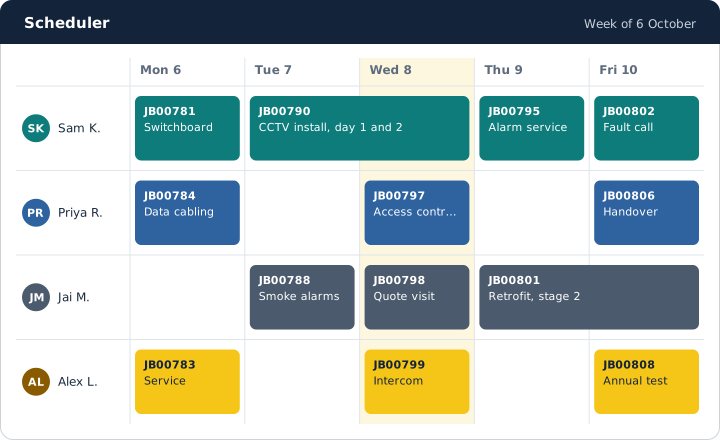
OntraOS runs the whole job. The office books the work in the browser. The crew does it in the phone app, with or without signal. The invoice goes out from the job.
Card up front, no charge until the trial ends. Prices in AUD.
Choose a starter after you sign up. It turns on the areas your kind of business uses. You can change them any time.
Crews who quote, book, do and invoice work at customers' sites.
Install, commission and maintain systems for your customers.
Support customers on site and from the desk.
Turn on the areas you need and leave the others off. Each person sees what their role allows.
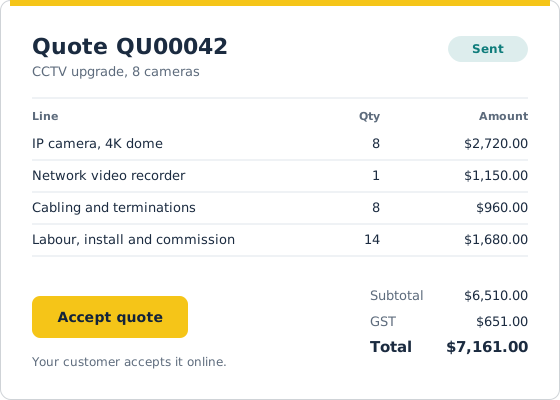
Enquiries, a pipeline of deals, quotes with revisions and online acceptance.
Jobs, the scheduler, forms, signed service reports, projects and subcontractors.
Tickets, service agreements, the asset register and the customer portal.
Purchase orders, supplier price files, stock, plant and fleet.
Invoices, card payments, Xero, MYOB and QuickBooks, profit and break-even rates.
Pay rules, overtime, leave, licences, onboarding, incidents and hazards.
Ask the assistant about your jobs and money in plain words. Site help gives a technician steps from job history and manuals, with the sources. Changes wait for a person to confirm them.
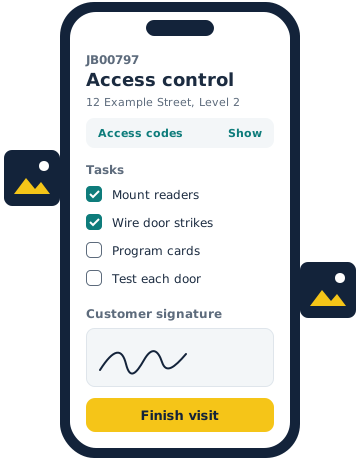
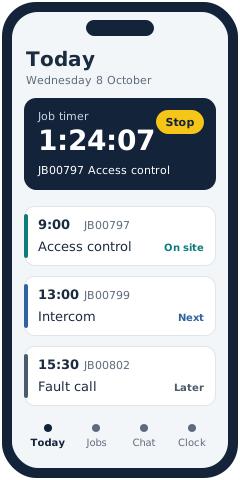
The app for iPhone and Android keeps the day in the technician's pocket. It works without signal and sends the changes when the phone is back online.
Each company has its own database and its own private file store. Row-level security checks the company again on each row.
OntraOS runs in Microsoft Azure, Australia East. Your database and your files stay in that region.
An owner can download all of the company's data and files as one zip file, at any time.
You pay for each person who signs in, each month, plus a hosting fee.
$10 a seat a month
Jobs, quotes, invoices, the scheduler, timesheets, assets and the phone app.
$20 a seat a month
Adds recurring work, projects, the service desk, agreements, the portal and reports.
$30 a seat a month
Adds enquiries, the pipeline, stock, plant, safety, the shared inbox, chat and more.
Example prices. These numbers show how the prices work. They are not the real prices.
No sales call. You can start in a few minutes.
Pick Core, Core Plus or Core Ultra, the number of seats, and Isolated or Dedicated hosting.
We send a link to confirm your email. You add a card in Stripe, and the free trial starts.
Your company's database is ready in minutes. A setup checklist takes you through the first steps.